User interface overview
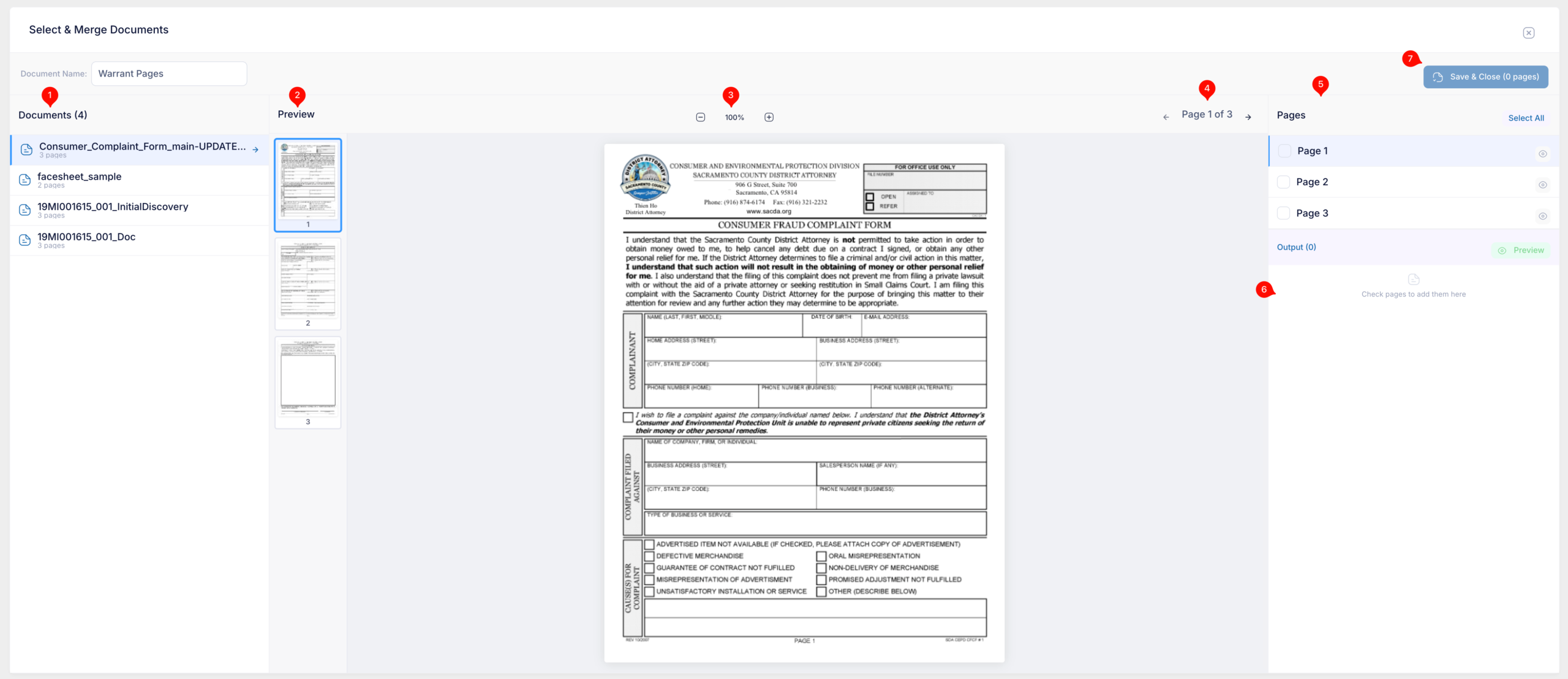
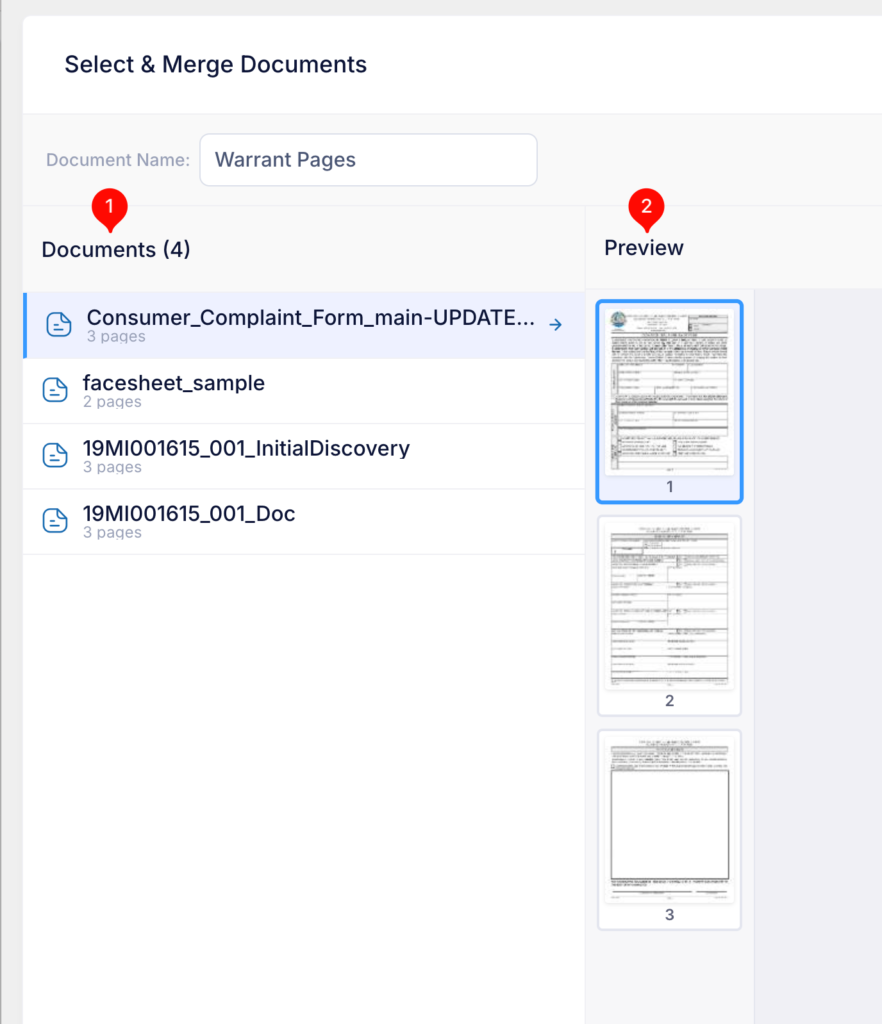
- Selected documents section:
- List will show all the documents chosen form slide-out drawer
- Preview
- Thumbnail view of the selected document (highlighted)
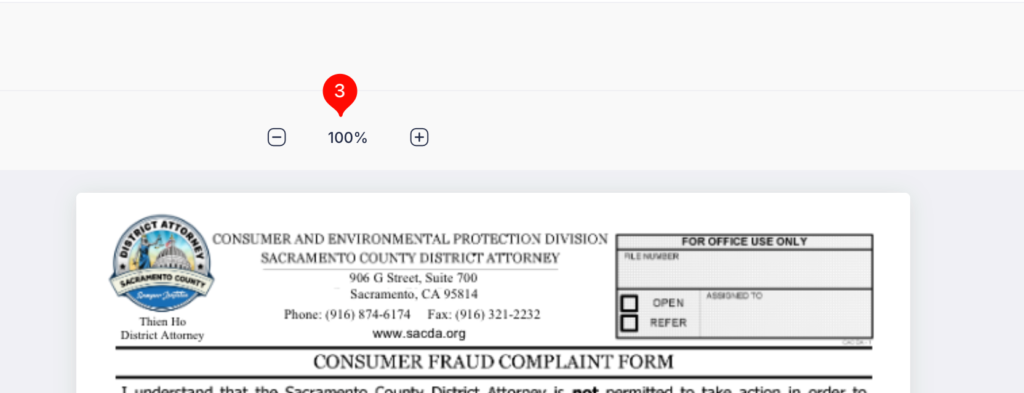
This area allows user to zoom in and out of the page displayed
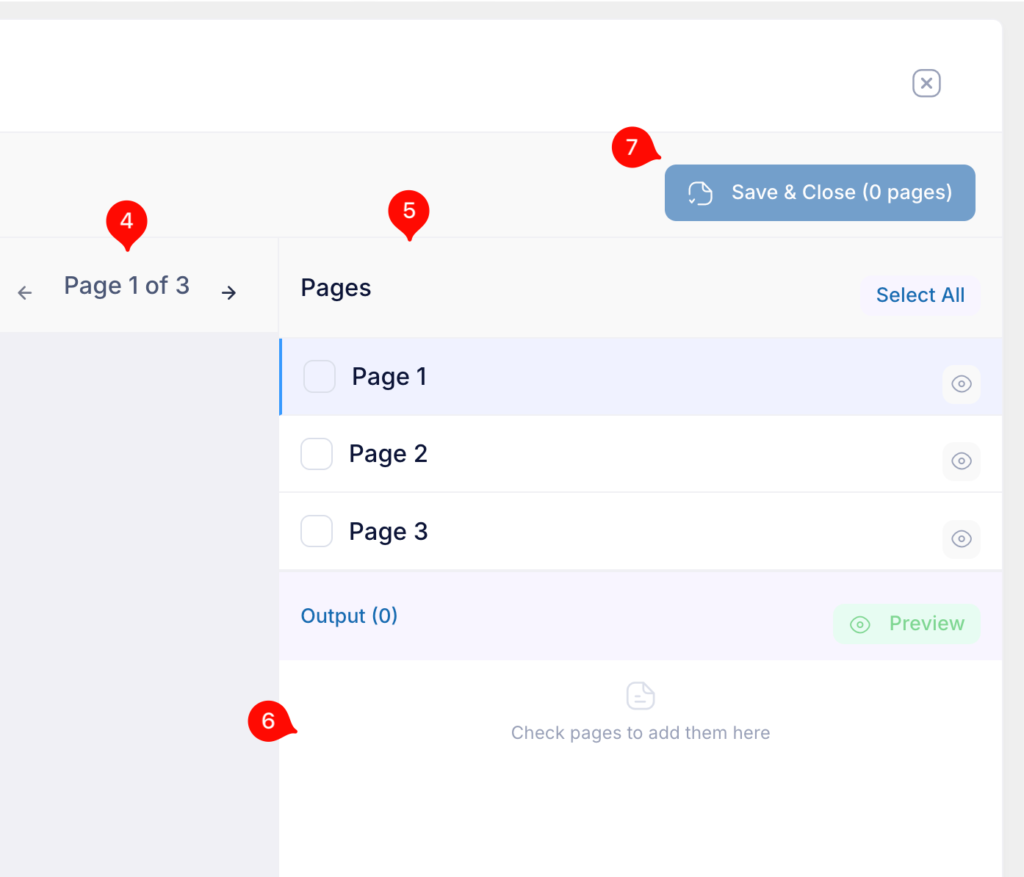
4) Use these arrows to scroll forward and back of the current selected document’s pages
5) Page list the current selected document
6) Output of all selected pages for the final Arrest Warrant Pages document
7) Sav button. Active once pages are added to Output